


Check the label
Inspect the casing label for Continental, VP1/VP2, a complete A2C or A3C serial, and the part number. Photograph the whole label rather than copying only its final digits.
We could not find this in the catalog. Paste the number or add a label photo — we will try to identify the radio.
Fiat Continental VP1/VP2
Enter the full A2C label number or upload a photo of the QR code / Data Matrix inside the radio. Include the full symbol so the system can attempt to read its identifier.
Selecting a photo sends it to Google Cloud Vision (EU) to read the label text.
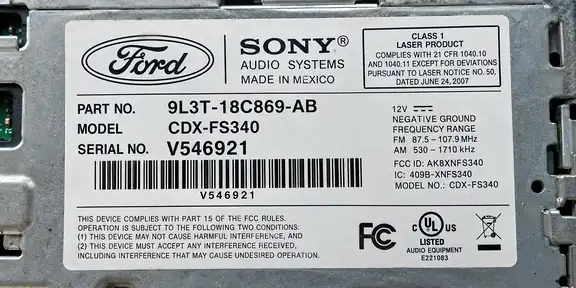
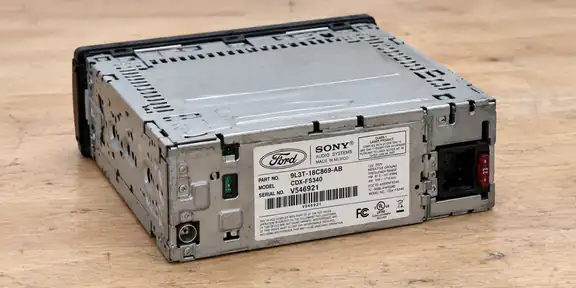
Hold your phone horizontally (landscape). Photograph only the label up close, straight on and in good light. The whole label and every digit must be sharp, with no glare.
Cannot get a clear photo? Enter the serial number manually.Check the markings before using the calculator.
Look for the numbers on the label attached to the radio casing. If the label contains several numbers, you can paste the whole label text or add a photo.
Do not enter the VIN or a random part number. If the label has several numbers, paste the whole label text or add a photo.
The data below comes from our knowledge base and is also used to identify the correct service.
These are confirmed vehicle applications of the radio family. Code recovery depends on the exact variant and its identifier.
Continental VP1/VP2 units use different labels and hardware variants. A Data Matrix on the circuit board is not the OEM part number or the four-digit unlock PIN. Identify the exact unit first: a VP2 label alone does not prove decoder compatibility.
QR code / Data Matrix
Compare these two real circuit-board examples. Often called a QR code, the square symbol is usually a Data Matrix. Photograph the entire square clearly.
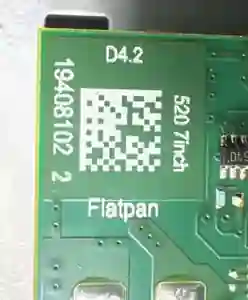
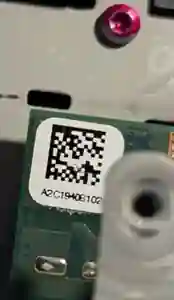
1940810220012935
Inspect the casing label for Continental, VP1/VP2, a complete A2C or A3C serial, and the part number. Photograph the whole label rather than copying only its final digits.
Some VP2 boards have a tiny square Data Matrix where an individual identifier cannot be found on the external label. Access may require professional removal and opening; do not open electronic hardware without the proper skills.
Take a sharp, straight-on picture of the square with even light, no glare or blur. Upload it using the PHOTO/OCR option above so the existing scanner can attempt to read the Data Matrix.
Check the entire result. A real example from a QR code / Data Matrix is 1940810220012935 (16 digits). An A2C label needs its prefix and 16 digits; VP1:5849 or VP2:5849 explicitly identifies a four-digit suffix. Four digits alone do not identify a radio. Never guess a PIN.
Customers usually search for a QR code. On these radios the small square on the circuit board is typically Data Matrix (ECC200). Scan the symbol itself; the number printed next to it is not necessarily a unique identifier.
Supported A2C label formats use the A2C prefix plus 16 digits. Evidenced A3C formats can contain 18 or 19 digits after A3C. Data Matrix readings can be 16–18 digits. Keep the full identifier; a four-digit suffix alone is not sufficient without explicit VP1/VP2 context.
If the symbol is unreadable, improve focus, contrast, framing and lighting. An OEM part number, screen size or EMEA/NAV/DAB marking may help identify a variant but does not itself prove a vehicle fitment. Vehicle applications are listed only when backed by confirmed canonical records.
Not necessarily: check the outer label first. Some VP2 boards carry the Data Matrix internally; have a qualified technician access it if needed.
No. Scanning extracts an identifier. The recovery service checks whether it is supported and calculates the PIN through the normal paid process.
Enter the radio number or add a clear photo of its label.
We check the number and identify the supported radio family.
If the radio is supported, we show the available code immediately.